
Play on any device
Play with friends, whatever device each of you uses
Short answer
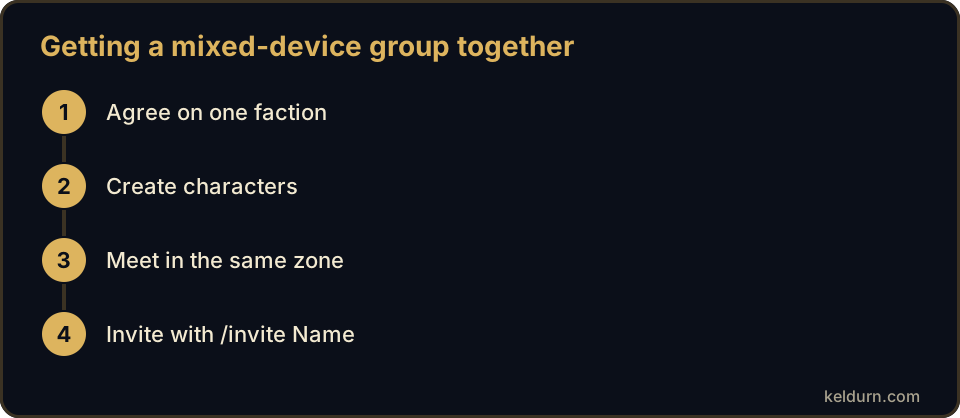
Everyone plays on the same Keldurn realm, whether on a phone, tablet, Mac, Chromebook or Windows PC. To group up, create characters in the same faction, meet in the same zone and invite each other with /invite followed by the character name. Groups and guilds cannot mix factions; only the Auction House is shared.
Key facts
| Realm | One realm for every device |
|---|---|
| Faction | Friends must choose the same faction to group |
| Invite | /invite CharacterName, or right-click the portrait |
| Guilds | Faction-bound; any device can join |
| Cross-faction | Only the Auction House is shared |
| Voice | Use any voice app you like alongside the game |
Start close to each other
Races start in different zones. If you want to play together from minute one, pick races that share a starting area, such as two humans or an orc and a troll. Otherwise meet at the first capital city once you reach level 10.
Add each other as friends in game so you can see who is online and where.
Split roles by device
Players on phones often enjoy classes with fewer buttons in the early levels, such as a hunter or a warrior, while a friend on a laptop can take a healer role with more abilities to track.
In dungeons, agree on a simple plan before each pull and let the player with the largest screen watch the group's health.
- Same faction, same realm, same zone.
- Add friends in game and create a guild once you are a few.
- Pick roles that match each player's screen.
Questions players ask
Can an Alliance and a Horde player group together?
No. Groups, guilds, chat and mail are faction-bound. You can still trade through the shared Auction House.
Does a phone player see the same world as a PC player?
Yes. It is the same realm and the same characters; only the controls change.
Updated September 29, 2026. Keldurn is an independent project compatible with the 1.12.1 era. It is not affiliated with Blizzard Entertainment.